Why TenPlus Systems?
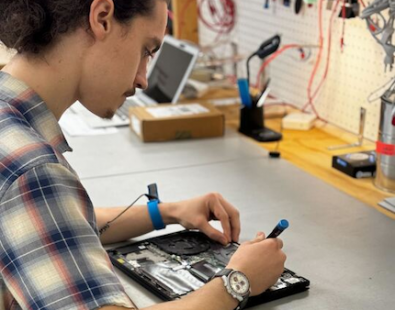
  • The highest level of local support and service since 1992.
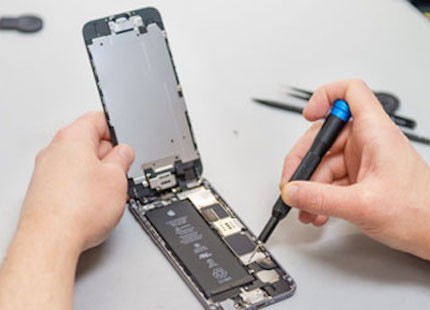
    • Premier Level Apple Specialist, Reseller and Service Provider
    • Xerox Peak Elite Reseller and Service Provider
    • Cisco Certified Firewall and Switch solutions
    • IBM/Lenovo Business Partner, Reseller and Service Provider
  • Single source for sales, support, consulting, training, and networking
  • Competitive pricing and quick product availability
  • Manufacturer Authorized Service Provider, both carry-in and on-site service
  • Unmatched cross platform experience with Macintosh and PC networking

Questions?

Contact the TenPlus Systems Sales team at 919.832.5799 or email sales@tenplus.com

spacer
Leopard Server Tour Event
spacer
Leopard Server. Bringing people and information together in powerful new ways.
spacer

When?

Date: June 24, 2008
9:00 AM - 12:00 PM

Where?

Holiday Inn Brownstone Hotel & Conference Center
1707 Hillsborough Street
Raleigh, NC USA

What Will You Learn?

- An introduction to Mac OS X Server & the new 8-core Xserve
- Deploying Mac OS X Server - Tools to configure and to control your information infrastructure and computing resources.
- Deployment with Leopard Server - Introducing 6 new services that make it easy for users in your organization to collaborate efficiently.
- Podcast Producer - A complete end-to-end solution for encoding, publishing and distributing high-quality podcasts.

Featured Solutions

- Mac OS X Server
- Xserve
- Mac Pro
- MacBook Pro with a Cinema Display

Why?

If you think it takes a dedicated IT department to deploy and use a server, think again. Leopard Server is designed so you can easily set up and manage servers. So whether you are adding to your IT department or you are a small business owner just getting started with servers, this seminar will be valuable to you. Be the first to see Apple's most advanced Mac OS X Server ever. Learn about the new 8-core Xserve with the latest Intel Xeon processors.

Apple is committed to open source technologies and open standards, making it easy to fit Apple products within your existing environment. Versatile, scalable, and surprisingly affordable solutions help you maintain and extend your infrastructure on a limited budget. And making it all work is no sweat, thanks to innovative management tools and Apple's unmatched hardware/software integration.

Who Should Attend?

This seminar is ideal for IT managers, IT administrators, IS managers, IS directors, server architects, and production managers. Small business owners and entrepreneurs considering a server will find it useful as well.

Register Now. Seating is Limited!

Click Here to Register.

spacer
rule
spacer
survey award
spacer
Adobe CS3 & Mac OS X 10.5.3 Compatibility Issue
spacer

It has come to our attention that many of our creative clients using the Adobe CS3 applications are seeing issues with the new 10.5.3 patch released by Apple.

Users are experiencing an issue under Mac OS X 10.5.3 in which, when saving files to a remote server, files become corrupt and can no longer be opened by the CS3 program in which they were created. The corruption can either be visually (stripes or similar in the image) or even structurally so that they cannot be opened again in the native Adobe application or another non-Adobe application. This appears to only happen when files are saved remotely -- when files are saved to a local volume this problem does not appear to occur. Additionally, even if the affected files are copied from the server to a local volume on the computer, they still do not work.

What we have read from reliable sources is that apparently the problem lies somewhere between Apple's OS update "changing things" and some depreciated code calls that CS3 software is still utilizing for open/save functions. Ducking a certain level of clarity in our opinion, Adobe's Engineering team provided this statement about the issue last week:

"Directly writing to a network filing system adds a level of complexity, which includes timing issues, network noise, performance, and other potential issues. We've occasionally run into bugs with different configurations/combinations, but as there are too many variants for us to reliably test and certify all the clients, servers, hardware and software, we recommend the safer course of working with files locally and then copying them up to a file server when you're done. While directly reading/writing to network file systems should work in theory, and while we do some limited testing in the most popular configurations to verify that it does, we can not certify that it will work reliably in your configuration."

In addition, Adobe reminds us all that they have had a long standing advisory about opening/saving files directly off of a file server.

Bottom line, Apple and Adobe are working together to resolve the issue and early reports indicate that Apple will be quickly releasing a 10.5.4 update which addresses the issue among other fixes. Until then, we can provide some technical direction to our customers affected by the issue.

If you have not upgraded to 10.5.3, we strongly recommend staying with 10.5.2 until this problem is fixed. In a production environment where uptime is critical, we strongly recommend that all groups and organizations create sensible policy around patch management. The TenPlus Systems recommendation to clients we work with is to always let major patches "cool off" for at least 30 days before installing them. That gives everyone a chance to watch what happens with the patch in the larger community. Next, before deployment to the entire group of users, the patches can be tested on a separate machine to ensure they do not break the workflow.

If you are already on 10.5.3, here's what we can tell you.

Option 1: Stay with 10.5.3 and use short-term workarounds

- Work locally. Instead of saving files to a server volume and working off them, save files locally and either mirror them to a server using a synchronizing program (or applescript/automator script) or manually. When editing the files on the server, copy them locally and then edit them. See Adobe statement above for their position on working locally. This workaround will require individual users to take short-term responsibility for file management and version control on assets they are creating and manipulating - for assistance in implementing a rock-solid, industry tested file naming and version control system built for the creative workflow, contact the Desktop Solutions Group at TenPlus.

- Try "Save As" instead of "Save". It appears that this problem may be a result of the application accesses an existing file to save. Using the "save as" command does not access the existing file, but creates a new one every time and thereby bypasses the processes that seem to corrupt existing files.

Option 2: Downgrade existing 10.5.3 system to 10.5.1, patch back to 10.5.2 and re-install CS3.

- From a 10.5.1 Install DVD, an Archive & Install can be done to revert a system to 10.5.1. On reboot after the Archive & Install, patch up to 10.5.2 with the combo updater. Next, completely remove all elements of CS3 from the computer, then reinstall CS3 from scratch. This is needed because an Archive & Install often break the CS3 install which is a large and complex system of software components. For assistance with quickly removing and reinstalling CS3 without leaving any debris behind, contact the Desktop Solutions Group at TenPlus.

Option 3: Complete rebuild of the workstation, patch only to 10.5.2

- Our recommendation would be a clean reinstall for most users, simply because options 1 is a big hassle and option 2 is not guaranteed to produce a stable system suitable for production work. For a clean install, the user's individual home folder would be saved, and a clean build of 10.5.2 would be installed along with all additional applications.

If you have moved to 10.5.3 already, please contact TenPlus if you need any help implementing any of the options described above.

spacer
rule
spacer
survey award
spacer
Apple has recognized TenPlus for Outstanding Customer Service & Support.
spacer

TenPlus is proud to have received another Customer Service Award from Apple for Q1 of 2008! Congrats to our staff for their hard work, and a special thanks to our customers and clients who made this award possible.

spacer
rule
spacer
survey banner
spacer

1992-2008 Sixteenth Year Celebration!

2008 marks the 16th Anniversary of the founding of TenPlus Systems!

Back in 1992, we opened TenPlus Systems with one goal in mind - to provide excellent technical advice, quality products, and fantastic customer service. For sixteen years we've served Triangle businesses large and small, and have been a trusted advisor to thousands of professionals, home users, and businesses. The tradition continues today with the same ongoing committment to you that has kept us going strong and will propel us forward as we close out our second decade!

2008 continues to be a huge year for TenPlus Systems - watch this space for further anniversary events!

spacer
rule
spacer
Leopard Solutions image
spacer

The latest Xerox lineup

Your best choice for Savings, Color Accuracy, Compatibility, and Quality

printerimage

Xerox Phaser 6180MFP

SAVE UP TO $300.00 OFF
WITH REBATES!

Xerox Phaser 8560

SAVE UP TO $100.00 OFF
WITH REBATES!

Check out all the Xerox solutions on TenPlus's Xerox web page. More...

Why wait? Get it now!

Corporate customers: it doesn't matter whether you need to buy or lease, TenPlus Systems can help you finance your purchase. Check out the financing options at TenPlus. More...

TenPlus provides Apple Certified support

Whether you're a home or business user, don't take a chance. Call the Apple-certified specialists at TenPlus to help you maintain your systems and quickly resolve computer and network problems. More...